Every password long. Every one different.
Longpass creates, stores and fills strong passwords for you, your family and your team. Everything is encrypted in your browser before it is saved, so we only ever hold data we cannot read.
Free forever for one person. No card needed for the trial.
Made with your browser's secure random generator. Nothing you see here is sent anywhere, the same way Longpass handles your vault.
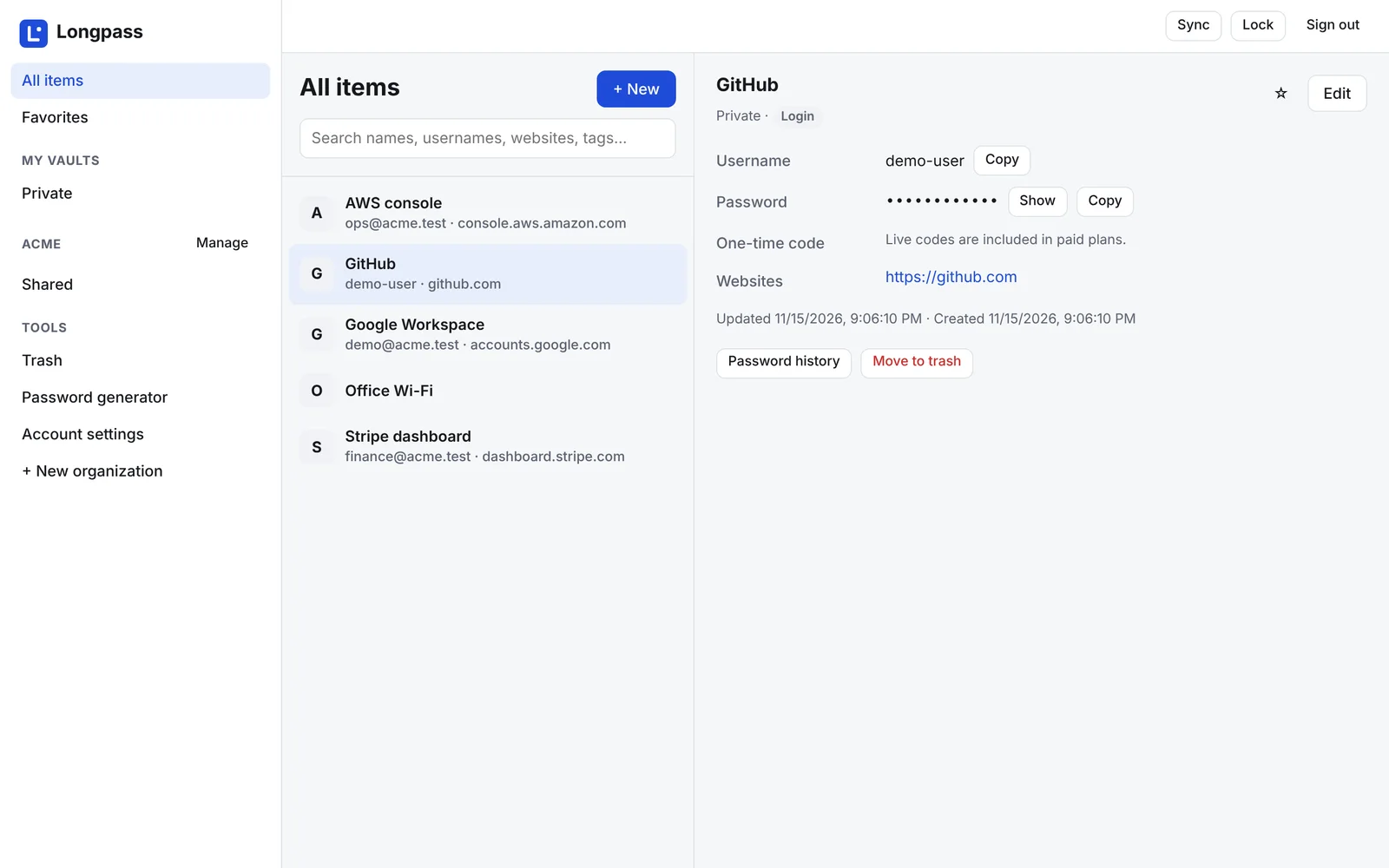
For your own logins, and for the ones your team shares.
A personal account and a company account run on the same app. Start alone, then invite people when you need to.
Stop reusing passwords
- Unlimited passwords and devices, also on the free plan.
- Generator for long random passwords, with your own rules.
- Logins, secure notes and payment cards in one searchable vault.
- Live one-time codes for sites that use two-factor sign-in, on paid plans.
- Password history keeps the last 10 versions, and trash keeps deleted items for 30 days.
- Family vault shared by up to 6 people.
Share access without sharing a spreadsheet
- Shared vaults and folders with four access levels.
- Groups and roles: owner, admin, manager, member.
- Policies for master password strength, required 2FA and auto-lock.
- Audit log of who viewed, copied or changed what.
- Clean offboarding: remove someone and get the list of passwords they could see.
- Invoices and seats managed in the admin console.
Give people the vault they need, nothing more.
Organise passwords the way your company is organised. Grant a vault to a person or a group, and narrow it down per folder when one project needs tighter rules.
The most specific grant wins
A folder rule overrides the vault rule, so exceptions stay small and visible.
Keys rotate when people leave
Rotate a vault key in one click. Your browser re-encrypts every item and seals the new key to everyone who keeps access.
Access levels
Set per vault or per folder, for a person or a group.
| Level | See item | Copy password | Edit | Manage access |
|---|---|---|---|---|
| Use only | Yes | Autofill only | No | No |
| Read | Yes | Yes | No | No |
| Edit | Yes | Yes | Yes | No |
| Manage | Yes | Yes | Yes | Yes |
We say this plainly in the app too: "Use only" hides a password on screen, but anyone who can autofill it could find a way to read it.
Audit log
Every event records who, what, when and from where. It never contains a password.
| When | Who | Event | Details | IP |
|---|---|---|---|---|
| 09:42:17 | maria@acme.example | password.copied | AWS console | 81.20.144.12 |
| 09:40:03 | jon@acme.example | access.granted | Staging · Read · Support | 81.20.144.9 |
| 09:31:55 | lea@acme.example | item.updated | Stripe dashboard | 195.50.3.71 |
| 08:58:40 | admin@acme.example | policy.changed | Require 2FA · on | 81.20.144.2 |
Example data. Filter by person or event and export to CSV. Kept 90 days on Team, one year on Business.
If our database leaked tomorrow, your passwords would still be safe.
Longpass is zero-knowledge. All encryption happens in your browser with audited libraries, and the server stores only ciphertext and locked keys. Here is the path from your master password to a saved item.
Typed by you. Never sent, never stored.
Stretched with Argon2id using 64 MB of memory, so guessing is slow and costly.
An auth key proves it is you. A wrapping key unlocks your account keys and never leaves.
Each vault has its own 256-bit key, sealed separately to each member's public key.
Encrypted with XChaCha20-Poly1305, tied to their own ID so they cannot be swapped.
What our servers see
- Your email address and account settings
- Encrypted blobs and locked keys
- Item type and timestamps, so sync works
- Who has access to which vault
What only you and your team see
- Passwords, usernames and notes
- Website addresses, item names and folder names
- One-time code seeds and card numbers
- Your master password, ever
Sign-in you can trust
Two-factor with authenticator apps or FIDO2 security keys. Short sessions, a list of your devices, and an alert when a new one signs in.
A way back in
We cannot reset a master password. You get a recovery key when you sign up, and companies can turn on admin recovery, shown to members before they join.
Shared keys you can check
Member keys are signed by your organisation when people are invited, and anyone can compare a short fingerprint before sharing.
Built and hosted in Europe.
Longpass runs on a European cloud provider, and your encrypted vault data stays in the EU. That keeps things simple for GDPR and for customers who ask where their data lives.
Your vault, in the browser you already use.
The web app works on any screen, including your phone. The browser extension fills logins for you and offers to save new ones.
Vault, sharing, admin console and billing
Chrome, Edge and Firefox
SAML and OIDC, directory sync, import from other managers
Autofill, biometric unlock, offline access
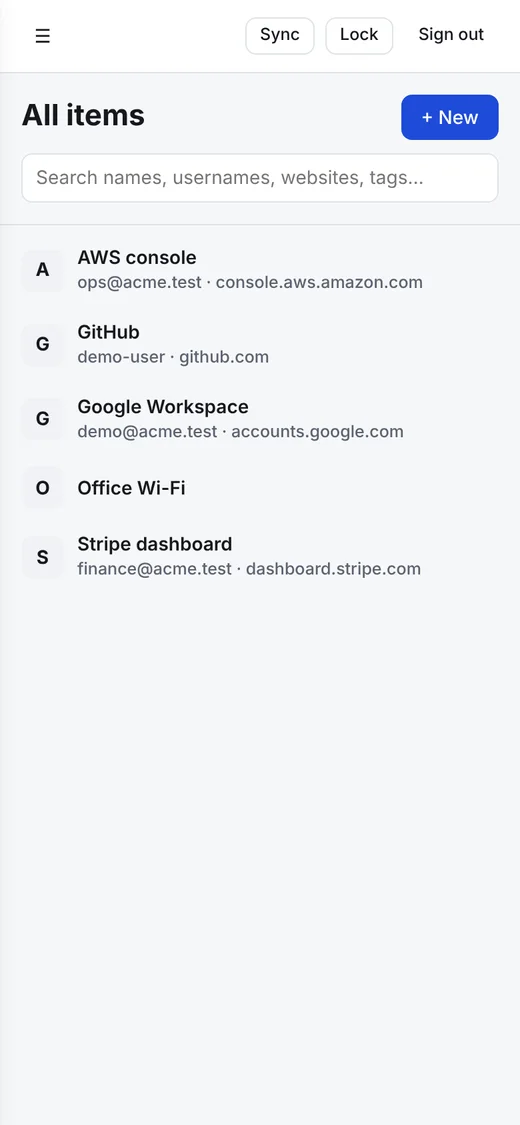
Fair prices, in euros.
Start free. Upgrade when you want more, or when the team grows.
Before you move your passwords in.
Can anyone at Longpass see my passwords?
No. Your vault is encrypted in your browser with keys made from your master password, which we never receive. We store the encrypted result and cannot turn it back into your passwords.
What happens if I forget my master password?
We cannot reset it for you, because we never have it. When you sign up you download a recovery key; keep it somewhere safe. In a company account, admins can also turn on account recovery.
Where is my data stored?
In the EU. Longpass runs on a European cloud provider, and encrypted backups stay in the EU too.
Can I move from another password manager?
Import from Bitwarden, 1Password, LastPass, Chrome and KeePass exports is coming soon. Until then you can add items by hand or ask us to help your team switch.
How does team billing work?
You pay per active or invited user. Adding someone mid-term is prorated on your next invoice. If you drop back to Free, your data stays, and shared vaults become read-only.
Can we run Longpass on our own servers?
Not yet. We are launching as an EU cloud service. Talk to us about Enterprise if self-hosting is a requirement, so we can tell you when it is ready.
Make your next password a long one.
Free for one person, forever. Teams get 14 days of Business to try it.